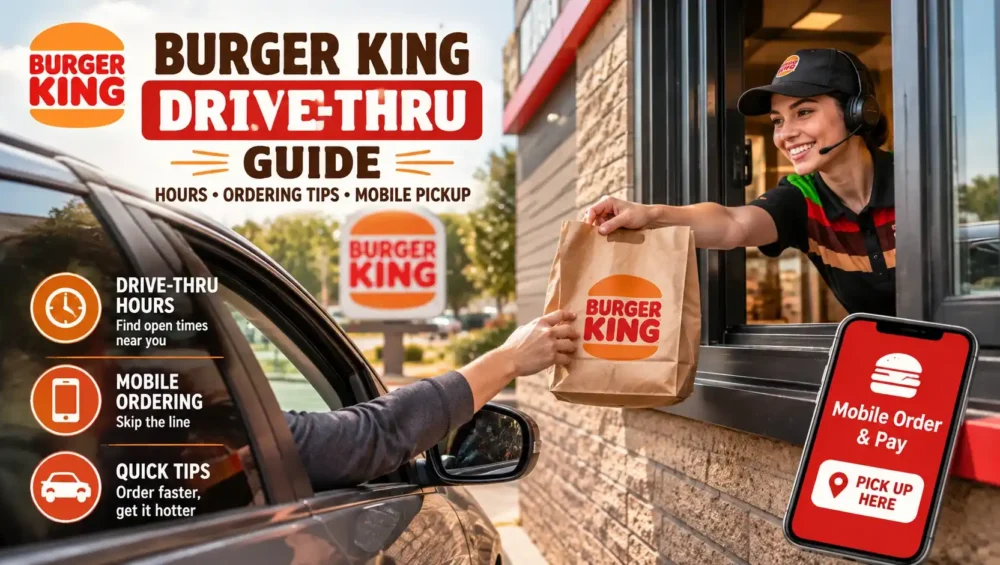
If you have ever pulled up to the speaker box hungry and unsure what time the kitchen switches menus or whether your app coupon will actually scan, this Burger King drive thru guide is for you. Drive thru service is one of the easiest ways to grab a Whopper without leaving your car, but hours, menu availability, and ordering methods can vary more than most people expect. Here is everything you need to know before your next visit.
What Time Does the Burger King Drive Thru Open and Close
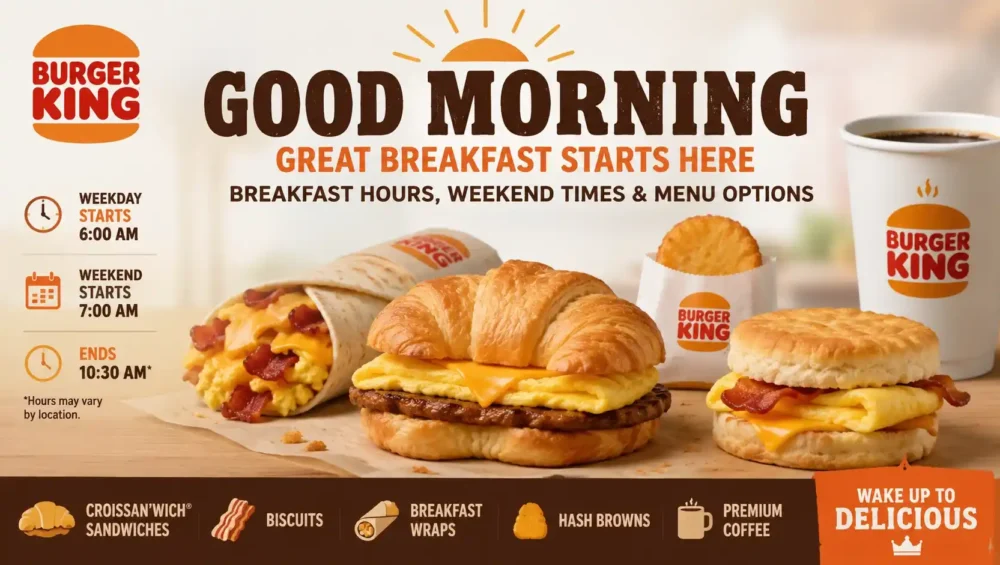
Most Burger King drive thru lanes open around 6:00 AM on weekdays, matching the start of breakfast service. Closing times vary more than opening times. On a typical Monday through Thursday, drive thru service usually runs until somewhere between 10:00 PM and 11:00 PM, while Friday and Saturday nights often stretch later, sometimes until midnight at busier locations.
Sunday hours tend to shift slightly. Many locations open around 7:00 AM instead of 6:00 AM, giving staff a bit more time before the morning rush begins.
One important detail worth remembering is that the drive thru almost always stays open longer than the dine in lobby. It is common for a lobby to close one to two hours before the drive thru shuts down for the night. So if you show up late and the doors look locked, do not assume the whole restaurant is closed. Pull around to the drive thru lane first.
Are Any Burger King Drive Thru Locations Open 24 Hours
Yes, a number of Burger King locations run their drive thru around the clock, especially those near highways, busy downtown areas, and travel corridors. Even at stores where the dining room closes for the night, the drive thru frequently keeps serving customers straight through until breakfast starts again.
Because Burger King is largely franchise operated, 24 hour availability is never guaranteed nationwide. It really comes down to the individual location and how much late night demand that specific area sees. If you are planning a late night or overnight drive thru run, it is worth checking your local store’s listing on the app or store locator ahead of time rather than assuming.
Breakfast to Lunch Transition at the Drive Thru
Timing matters a lot if you are chasing a specific item. Breakfast typically runs from around 6:00 AM until 10:30 AM on weekdays, with some locations extending breakfast until 11:00 AM on weekends. Once that window closes, the kitchen switches over to the full lunch and dinner menu, and breakfast items are no longer available, even through the drive thru.
If you are craving a Croissan’wich or French Toast Sticks, try to place your order comfortably before the cutoff. Kitchens sometimes begin winding down breakfast prep a few minutes early as the transition approaches, so cutting it close can occasionally mean missing out.
Once lunch service begins, the same menu carries through the rest of the day. Burger King does not switch to a separate dinner menu the way some chains do, so anything available at 11:00 AM is generally still available at 9:00 PM.
How to Order at the Drive Thru
Ordering at the Burger King drive thru works the same basic way it does at most fast food chains, but a few habits can make the process smoother for you and the staff working the window.
- Have your order roughly planned before you reach the speaker box, especially during busy hours
- Speak clearly and pause between items so the order taker has time to enter everything correctly
- Mention any allergies or specific customization requests directly at the speaker rather than waiting until the window
- Repeat your total back if it sounds off, since mishearing happens more often during peak rush times
- Pull forward to the window once your order is confirmed, even if there is a short wait for your food
If the location uses a digital menu board, take a moment to glance at current promotions before you start ordering. Limited time offers sometimes show up there before they appear anywhere else.
Using Mobile Order for Drive Thru Pickup
Many Burger King locations support mobile ordering through the official app, which lets you order and pay ahead of time, then pick up through the drive thru lane instead of waiting to order at the speaker. This can save real time during busy lunch and dinner rushes.
To use mobile order for drive thru pickup:
- Open the Burger King app and build your order as usual
- Select drive thru or curbside as your pickup method if the option is available at your chosen location
- Complete payment in the app before you arrive
- Pull into the drive thru lane and let the staff know you have a mobile order ready
- Provide your name or order number if asked
Not every location supports mobile order pickup through the drive thru specifically, so check the pickup options in the app before assuming this will work at your nearest store.
Redeeming Coupons and Royal Perks at the Drive Thru
If you are a Royal Perks member, you can generally redeem your Crowns for drive thru orders the same way you would for a dine in or pickup order. When you reach the window or speaker, let the staff know you would like to redeem a reward, and be ready to show the code generated inside the app.
A couple of things to keep in mind:
- Printed coupons are typically not accepted for drive thru orders processed through the app, though paper coupons still generally work when ordering directly at the speaker
- Most locations require at least one additional paid item alongside a redeemed reward, so plan to add a drink or side
- App exclusive deals are often only visible if you check the Offers tab before you arrive, so it helps to glance at the app before pulling into the lane
Tips for a Faster Drive Thru Experience
A few small habits can shave real time off your visit, especially during busy periods.
- Visit during off peak hours, like mid afternoon, if you want the shortest possible wait
- Use the app to place a mobile order ahead of time so you can skip ordering at the speaker entirely
- Avoid complicated customizations during a visible rush, since simpler orders move through the line faster
- Keep payment ready before you reach the window to avoid holding up the line behind you
- Double check your bag before pulling away, since busy drive thrus are more prone to missing items
What to Do If Your Drive Thru Order Is Wrong
Mistakes happen occasionally, especially during rush periods. If you get home and something is missing or incorrect, most locations will make it right if you return with your receipt or app order confirmation. Calling the specific restaurant directly is usually faster than going through general customer service, since the store itself can resolve the issue on the spot.
Keeping your receipt or app confirmation until you have checked your order is a simple habit that saves a lot of hassle if something does go wrong.
Finding Your Nearest Drive Thru Hours
Because Burger King is mostly franchise owned, hours are never perfectly uniform across every location. The most reliable way to confirm your exact drive thru hours is to check the store locator on the Burger King website or app, which typically lists dine in and drive thru hours separately for each specific restaurant. Google Maps listings can also work in a pinch, though calling the location directly is the most accurate option if you need to confirm hours for something like a holiday or a very late night visit.
Final Thoughts
A little bit of planning goes a long way with Burger King drive thru visits. Knowing the general hours, understanding how breakfast transitions into lunch, and using tools like mobile ordering and Royal Perks can turn a routine drive thru stop into a faster, smoother experience. Whether you are grabbing an early morning Croissan’wich or a late night Whopper run, checking your specific location’s hours ahead of time is always worth the extra minute.