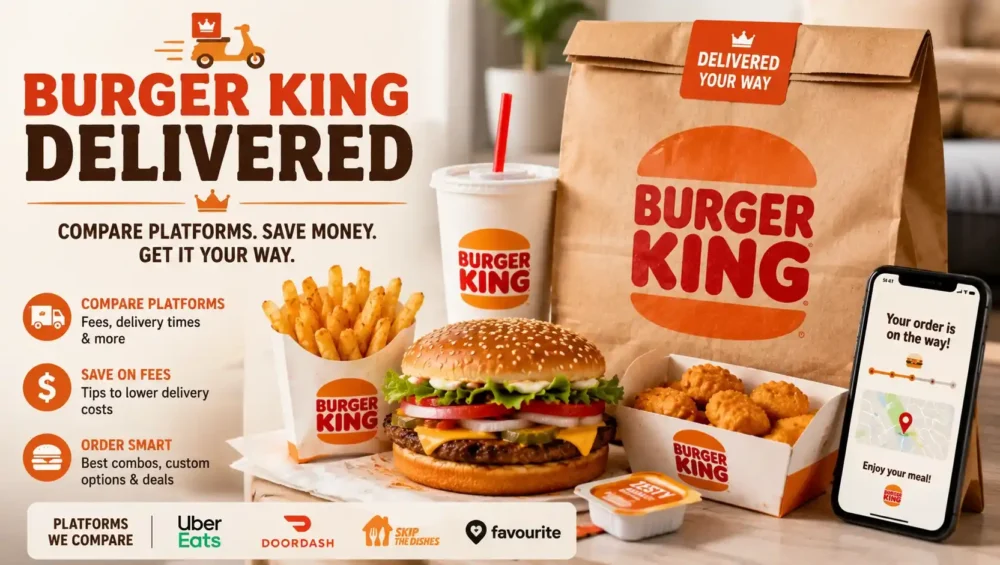
When a Whopper craving hits and leaving the house is not part of the plan, knowing your Burger King delivery options can save you both time and money. Between the official BK app and several third party platforms, there is more than one way to get your order delivered, and each one comes with its own pricing, perks, and quirks. This guide walks through every delivery method available, compares the platforms, and shares a few tips to help you avoid overpaying on fees.
Does Burger King Offer Delivery
Yes, Burger King offers delivery at most locations across the country. You are not limited to dining in or driving through anymore. Depending on where you live, you can typically choose between ordering directly through Burger King’s own app and website, or going through a third party delivery service like DoorDash, Uber Eats, or Grubhub.
Not every location supports every platform, so availability can vary slightly by city and even by neighborhood. Checking your specific address on each platform before assuming delivery is available is always a smart first step.
Ordering Delivery Through the Official Burger King App
The Burger King app is generally the best starting point if you want the most value out of your order. Delivery placed directly through the app or the official website ties into Royal Perks, Burger King’s loyalty program, which means you earn Crowns on your purchase and can redeem exclusive app only offers.
Here is what makes ordering through the app worth considering:
- You earn Crowns toward free food with every qualifying purchase
- The app often features deals and coupons that are not available through outside platforms
- Menu pricing usually matches in store prices more closely than third party markups
- You can track your order status and delivery progress directly inside the app
To place a delivery order, open the app, choose the delivery option instead of pickup, enter your address, and select from the nearest participating restaurant. If your area is not covered by BK’s own delivery network, the app will typically prompt you to switch to a partnered third party service instead.
Ordering Burger King Through DoorDash
DoorDash was one of the earliest delivery partners Burger King worked with, and it remains one of the most widely available options today. If your local Burger King supports delivery, chances are DoorDash covers it in some capacity.
A few things to know about ordering through DoorDash:
- Delivery times generally average around 40 minutes, though this depends on distance, traffic, and weather
- You can customize most menu items the same way you would in person
- Prices on the platform are usually a bit higher than what you would pay ordering directly in the restaurant
- DashPass subscribers may qualify for reduced or waived delivery fees on eligible orders
DoorDash also lets you track your driver in real time once the order is picked up, which is helpful if you are trying to time your meal around when the food actually arrives.
Ordering Burger King Through Uber Eats
Uber Eats has been a Burger King delivery partner for several years and continues to be one of the most popular ways to order without using the official app. The platform covers a huge number of Burger King locations nationwide.
Ordering through Uber Eats generally works the same way it does for any other restaurant on the platform. You enter your address, browse the Burger King menu for your nearest location, add items to your cart, and check out. Delivery fees and estimated arrival times are shown clearly before you confirm the order.
Uber One members may see reduced fees or free delivery on qualifying orders, similar to how DashPass works for DoorDash. If you already subscribe to one of these services for other restaurants, it usually makes sense to stick with the same platform for Burger King rather than juggling multiple apps.
Ordering Burger King Through Grubhub
Grubhub is the third major platform where Burger King delivery shows up regularly, especially in larger cities. The experience is very similar to DoorDash and Uber Eats. You search for your nearest location, browse the menu, and place your order with a few taps.
Grubhub tends to be a solid backup option if your address is not covered well by the other two platforms, or if you already have a Grubhub subscription through Grubhub+ that offsets delivery fees.
Comparing Delivery Fees and Prices Across Platforms
One of the most important things to understand about Burger King delivery options is that pricing is rarely identical across every platform. Menu prices on third party apps are almost always marked up slightly compared to ordering in the restaurant or through the official BK app.
A few pricing factors worth keeping in mind:
- Delivery fees vary by platform, distance, and time of day
- Service fees are usually added on top of the delivery fee itself
- Menu item prices on third party apps often run higher than in store prices to help offset the platform’s commission
- Ordering directly through the BK app tends to offer the closest match to in store pricing
- Printed coupons generally do not work on any delivery order, regardless of platform
If saving money matters more than convenience of using an app you already have installed, comparing prices across two or three platforms before ordering can make a noticeable difference, especially on larger orders.
Does Burger King Deliver Breakfast
Yes, breakfast delivery is available as long as you place your order during Burger King’s breakfast hours, which typically run from around 6:00 AM to 10:30 AM on weekdays, with some locations extending slightly later on weekends. Once the kitchen switches over to the lunch menu, breakfast items are no longer available for delivery, the same way they would not be available if you walked in to order.
If you are craving a Croissan’wich for delivery, ordering closer to the start of your local breakfast window gives you more buffer time in case the kitchen begins winding down breakfast prep a little early near the cutoff.
Tips for a Smoother Burger King Delivery Order
A few small habits can help your order arrive faster, more accurately, and at a better price.
- Compare fees across two or three delivery apps before placing a large order
- Use delivery subscriptions like DashPass or Uber One if you order frequently, since the savings add up over time
- Double check your customization requests, since delivery orders sometimes have less flexibility than ordering in person
- Leave clear delivery instructions if you live in an apartment or a building with a specific entrance
- Order through the official BK app when possible to earn Royal Perks Crowns on top of your meal
Which Delivery Option Should You Choose
There is no single best answer here, since it depends on what you value most. If earning rewards and getting the closest match to in store pricing matters to you, the official Burger King app is usually the strongest choice. If you already have an active subscription with DoorDash, Uber Eats, or Grubhub for other restaurants, sticking with that same platform often makes more sense than downloading yet another app just for Burger King.
The good news is that you are rarely limited to just one option. Most areas with Burger King delivery support at least two or three of these platforms, so you can compare prices and pick whichever works best for your specific order that day.
Final Thoughts
Burger King delivery options have expanded quite a bit over the years, giving customers real flexibility in how they get their food. Whether you order through the official app for the best pricing and rewards, or lean on DoorDash, Uber Eats, or Grubhub for convenience, getting a hot Whopper delivered to your door is easier than ever. Take a minute to compare fees before you check out, and you will likely find the option that fits your budget and your cravings best.