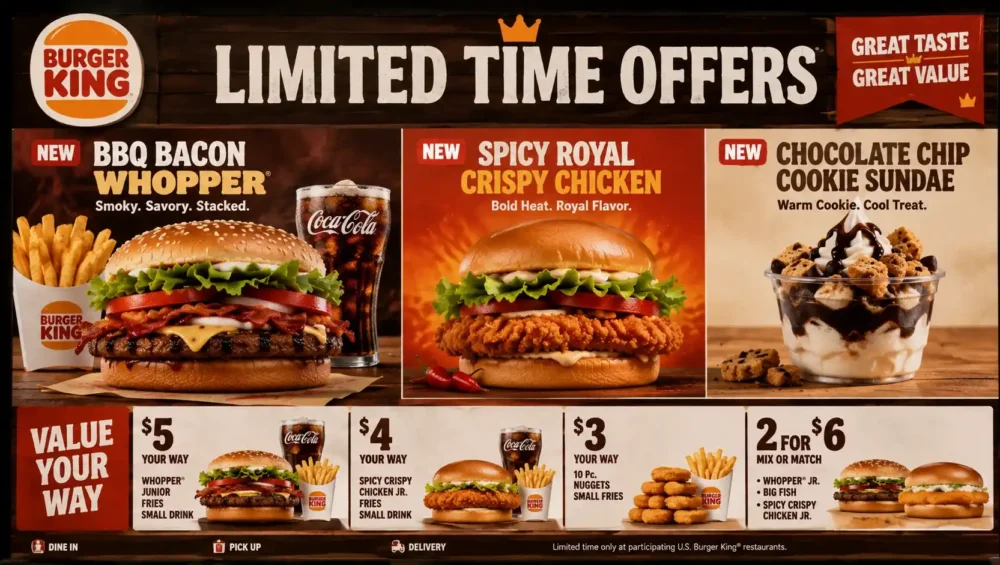

Fast food adds up fast, and if you eat at Burger King more than once in a while, those small charges turn into real money over a month. The good news is there are simple, legitimate ways how to save money at Burger King without hunting down sketchy coupon codes or waiting around for a sale that never comes. Most of the savings are sitting right there in the app, you just need to know where to look.
This guide breaks down every practical way to cut your bill at Burger King, from the loyalty program to the small ordering habits that quietly save you cash every visit.
Start With the Burger King App
If you only do one thing after reading this article, download the Burger King app. It is free, it takes a couple of minutes to set up, and it unlocks nearly every real discount the chain offers. Ordering at the counter without checking the app first is basically leaving money on the table.
Inside the app, you will find:
- A rotating Offers tab with new deals almost every day
- App only pricing on popular items that is often lower than in store prices
- Mobile order and pay, so you can lock in a deal before you even walk in
- A code you show the cashier if you are ordering in person instead of through delivery
The deals change often, so it is worth a quick check before every single order rather than assuming last week’s deal is still active.
Join Royal Perks for Ongoing Rewards
Royal Perks is Burger King’s free loyalty program, and it works quietly in the background every time you order through the app. You earn points, called Crowns, on qualifying purchases, and those Crowns can be redeemed for free menu items later on.
A few things make this program worth the two minutes it takes to sign up.
- You earn points on nearly everything you buy through the app, not just special promotions
- Crowns can be saved up and redeemed for free food once you hit certain thresholds
- Members often get access to offers that are not shown to non members
- Many locations give a free item just for signing up, so the very first order can already save you money
Once you are enrolled, ordering through the app instead of walking up to the counter becomes the smarter habit almost every time.
Take Advantage of Whopper Wednesday
One of the most consistent deals at Burger King is Whopper Wednesday. On Wednesdays, Royal Perks members can usually get a Whopper or a plant based Whopper at a steep discount compared to the regular menu price. It shows up right in the app under the weekly offers.
If your schedule is flexible at all, shifting a fast food craving to a Wednesday is one of the easiest wins in this whole guide. There is no trick to it. You just open the app, tap the deal, and add it to your order.
Watch for Birthday Rewards
If you signed up for Royal Perks with your birthday on file, check the app around that time of year. Many members receive a free item or a special discount code during their birthday month. It usually shows up automatically in your account, so there is nothing extra you need to do besides remembering to check.
Some birthday promotions also include bonus points on purchases made that month, which stacks nicely if you were already planning to order.
Try the Receipt Survey
This one gets overlooked a lot. After you pay for an in store or drive through order, look at your printed receipt. Many Burger King locations include a short customer satisfaction survey with a code at the bottom. Completing it usually earns you a coupon for a discounted or free item on your next visit.
It only takes a few minutes on your phone, and it turns a receipt you would normally throw away into a coupon for next time. Just make sure to use the reward within the time window printed on it, since these usually expire within a few weeks.
Order Smarter, Not Just Cheaper
Saving money at Burger King is not only about finding coupons. How you build your order matters just as much.
- Compare combo meals against ordering items separately. Combos are usually cheaper, but not always, so it is worth a quick glance at the menu screen before assuming.
- Stick to value menu items when you are just looking for something quick and affordable. These items rarely need a coupon to already be a good deal.
- Split a larger combo with someone if you know you will not finish it. This works especially well for family sized fry or drink options.
- Skip the extra add ons you will not actually eat. Extra sauces, upsized sides, and add on desserts quietly inflate the total more than people expect.
None of these tips require a discount code. They just require paying a little attention at checkout instead of tapping through on autopilot.
Be Careful With Delivery Apps
Ordering Burger King through a third party delivery app is convenient, but it usually costs more than ordering directly. Delivery fees, service charges, and marked up menu prices on those platforms can add several dollars to an order that would have been cheaper through the BK app or in person.
If delivery is genuinely the only option, check whether the delivery app has its own promotion running, since some do offer discounts on fast food orders from time to time. But for regular orders, ordering directly through Burger King almost always comes out cheaper.
Look Into Family and Group Deals
If you are ordering for more than one or two people, check the app for bundle or family style deals before ordering everyone’s meal separately. These bundles typically include multiple sandwiches, a larger side, and drinks packaged together at a lower price than buying each item on its own.
This is especially useful for:
- Family dinners where everyone wants something different
- Office lunches or small group orders
- Weekend outings where a few kids are eating together
Always compare the bundle price against what the same items would cost individually. Most of the time the bundle wins, but it is a habit worth building rather than assuming.
Check for Linked Membership Perks
Burger King has run promotions in the past tied to other memberships, including retail subscription services. These partnerships sometimes offer a percentage off digital orders or occasional free items for members who link their accounts. If you already pay for a membership like that, it is worth checking the app or Burger King’s website to see if there is a current partnership you qualify for.
These kinds of perks come and go, so it helps to check every few months rather than assuming a past deal is still running.
Avoid Common Mistakes
A few habits quietly cost people money without them noticing.
- Ordering at the counter out of habit instead of pulling up the app first
- Letting Crowns sit unused for months instead of redeeming them
- Skipping the receipt survey because it feels like a hassle
- Forgetting to check the Offers tab before every single order, not just the first time
Small changes like these do not feel dramatic in the moment, but they add up over weeks and months of ordering.
Final Thoughts
Saving money at Burger King really comes down to using the free tools the company already gives you. The app, Royal Perks, Whopper Wednesday, and the receipt survey cover most of the savings on their own, and smarter ordering habits handle the rest. None of this requires searching for questionable coupon codes online or waiting for a rare sale.
Build a simple routine of checking the app before you order, redeeming your Crowns instead of letting them pile up, and comparing combo prices before you commit, and you will notice the difference on your bill without much extra effort. That is really the whole story behind how to save money at Burger King.